DATABASE DESIGN & DEVELOPMENT PLATFORM

The All-in-One Database Platform
for AI-Powered Design and Management

Design ERDs, manage tables, write SQL, and generate source code.
Work on the web, desktop, or fully offline.

No sign-up required
Start on the Web
0+
Supported Databases
0
Platforms
0%
Offline Support
More Coming Soon

Two Ways to Use AI

1. Built-in AI Assistant

Work in NeoSQL with an assistant grounded in your selected connection and schema. Review generated SQL and results in the AI SQL Editor.

  • 💬Generate SQL from natural language
  • Tune queries with estimated plans
  • 🎲Create constraint-aware sample data
View the AI Assistant guide
1
2

Two Ways to Use AI

2. Connect AI Tools with MCP

Connect AI tools like Claude Code and Codex to NeoSQL within an approved database scope. Apply table changes to both the ERD and database.

  • 🧠Give AI tools live schema context
  • 🛡️Create and modify tables from chat
  • Apply changes to the ERD and database
View the MCP guide
2
2

All the database tools developers need in one platform

Bring database design, SQL execution, and code generation into one connected workflow.

ERD Design and Visualization

Model complex schemas clearly with auto layout and visual relationships. Move seamlessly between your database and ERD with forward and reverse engineering.

  • Generate DDL from an ERD with forward engineering
  • Reverse-engineer an ERD from an existing database
  • Import DDL by pasting statements or dropping a .sql file
View the guide

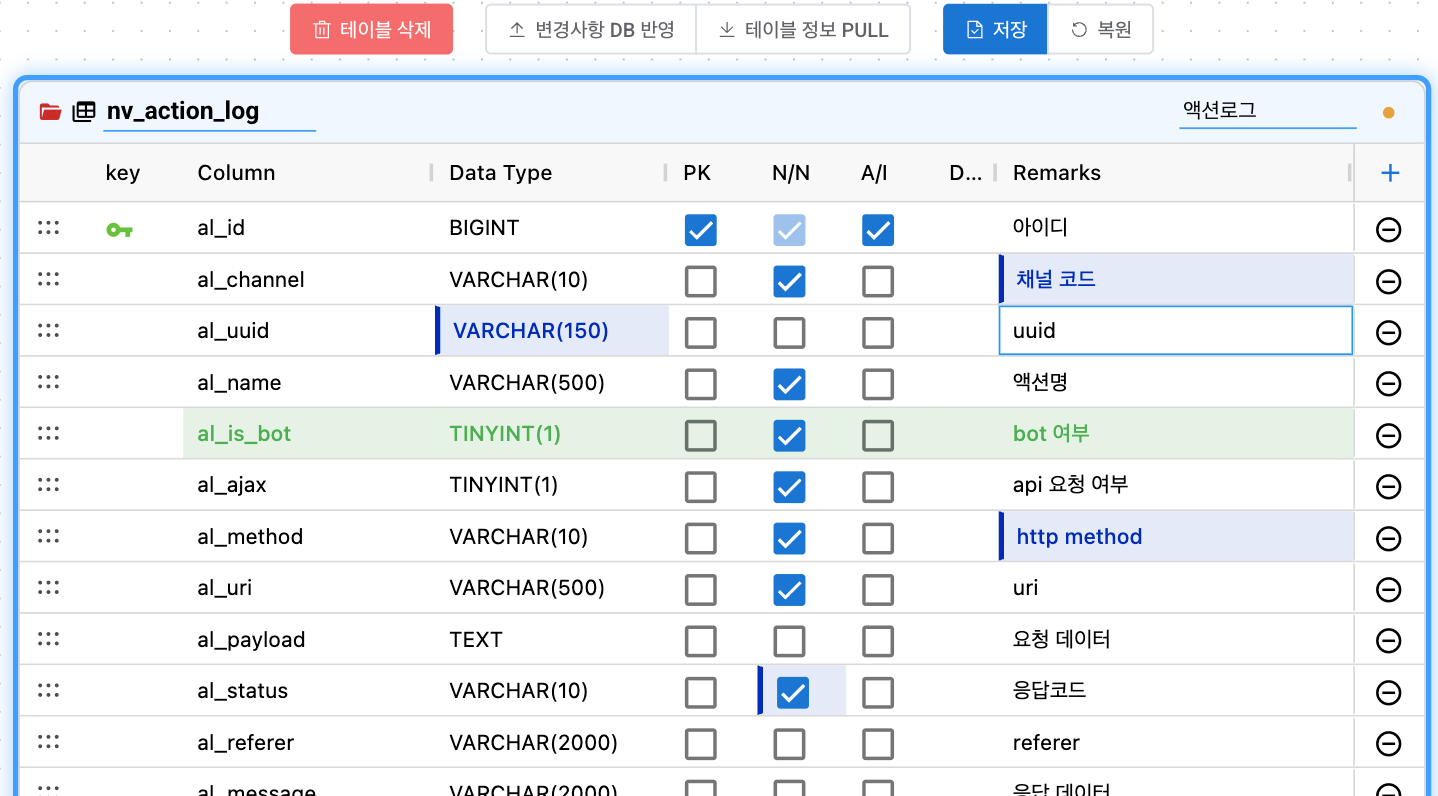
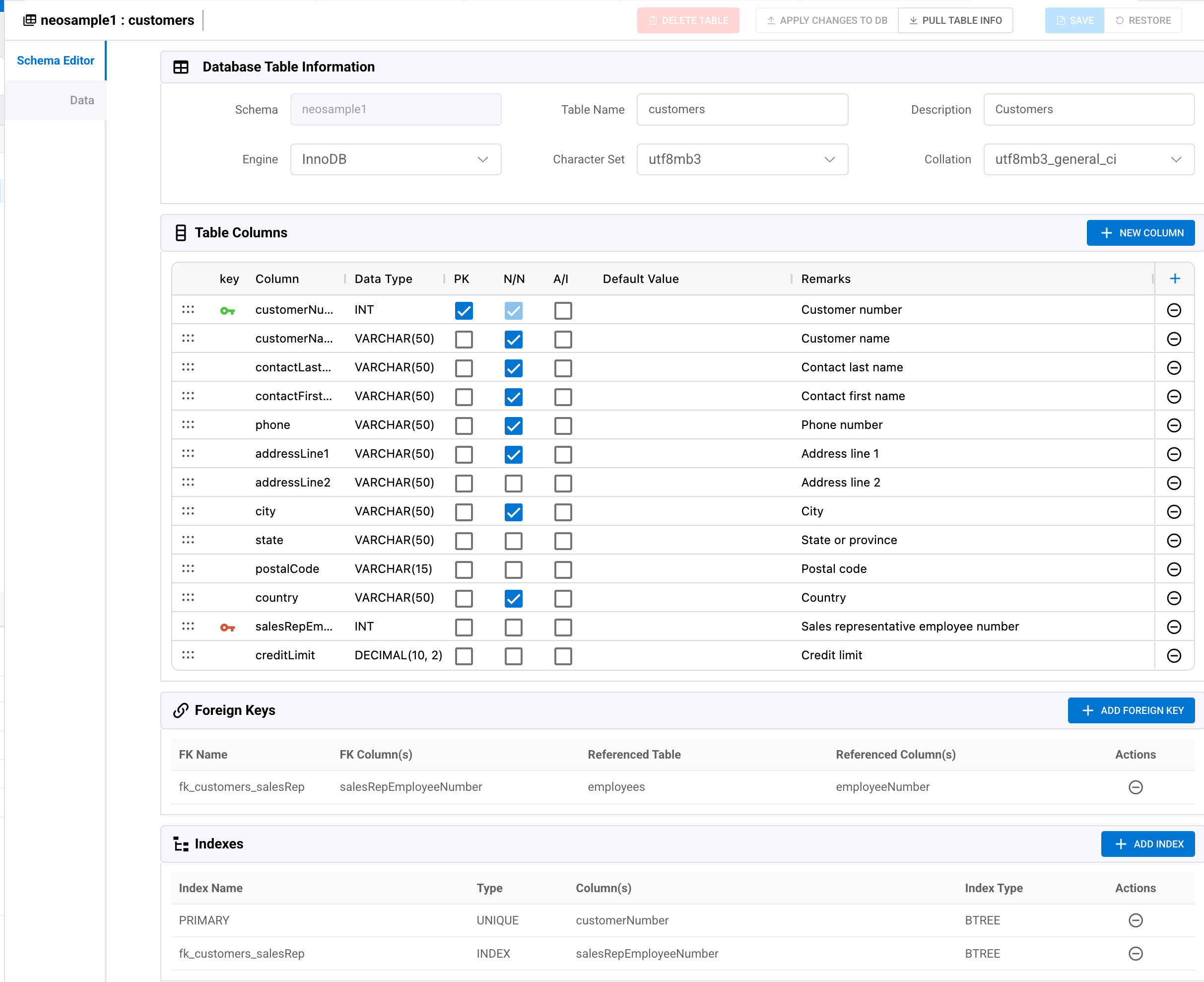
Table Editing and Change Management

Edit columns, indexes, foreign keys, and constraints in a spreadsheet-like interface. Track changes and review generated DDL at any time.

  • Edit column types, nullability, default values, and comments inline
  • Manage indexes, unique constraints, and foreign keys visually
  • Track changes in real time and review diffs
View the guide
NeoSQL table detail editor for columns, indexes, and constraints

SQL Editor

Write queries faster with autocomplete and syntax highlighting, then view results immediately. Control commit and rollback manually for safer DML changes.

  • Write queries faster with syntax highlighting and autocomplete
  • Run SELECT, DML, and DDL statements
  • Control data changes safely with manual commit and rollback
View the guide

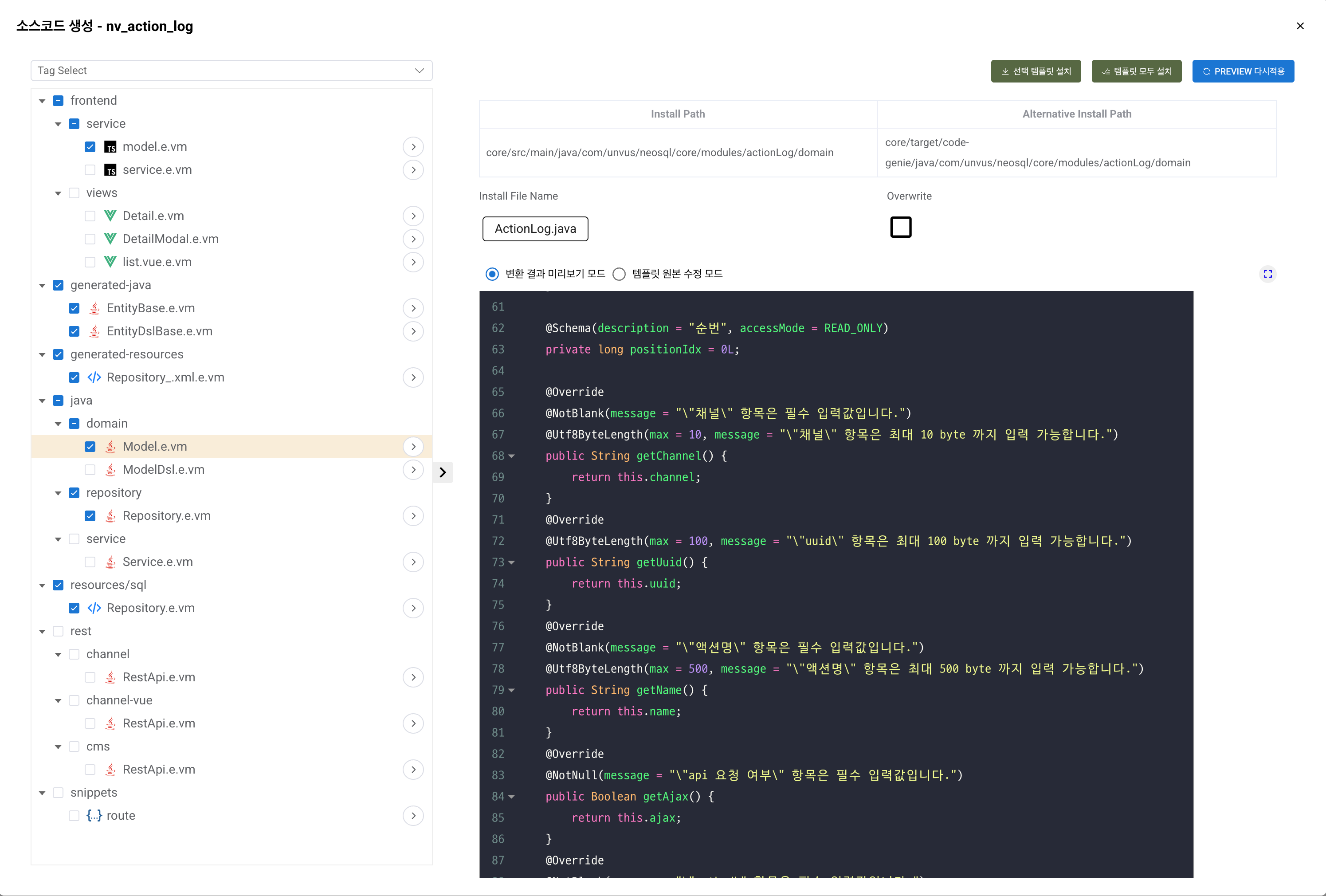
Code Generation

Generate source code from table schemas with custom Velocity templates that match your team's standards. Save files directly on desktop or download them as a ZIP on the web.

  • Generate code for Java, Kotlin, TypeScript, Python, and more
  • Generate framework-specific code for Spring, JPA, MyBatis, and more
  • Customize every detail with Velocity templates
View the guide
NeoSQL code generation with custom Velocity templates

Track schema changes and generate DBMS-specific DDL

Change a table structure and NeoSQL detects what differs, then generates ALTER TABLE DDL in the syntax of your target DBMS. Review the before-and-after diff before you apply it.

  • Detect added, removed, and modified columns automatically
  • Track index and foreign-key changes
  • Generate optimized DDL for each DBMS
View the guide
NeoSQL schema change tracking with before and after diff

Guardrails for safer production database changes

Catch production mistakes before they run. Risky statements are flagged up front, and the environment you are working in stays visible at all times.

  • Classifies DROP TABLE and TRUNCATE as Critical, and UPDATE or DELETE without WHERE as Warning; both require confirmation
  • Set connection profiles to Confirm (ask before changes) or Read-only (block all changes)
  • Use environment-specific colors and background watermarks to keep the active database visible
View the guide
Confirmation dialog shown before a destructive SQL statement runs

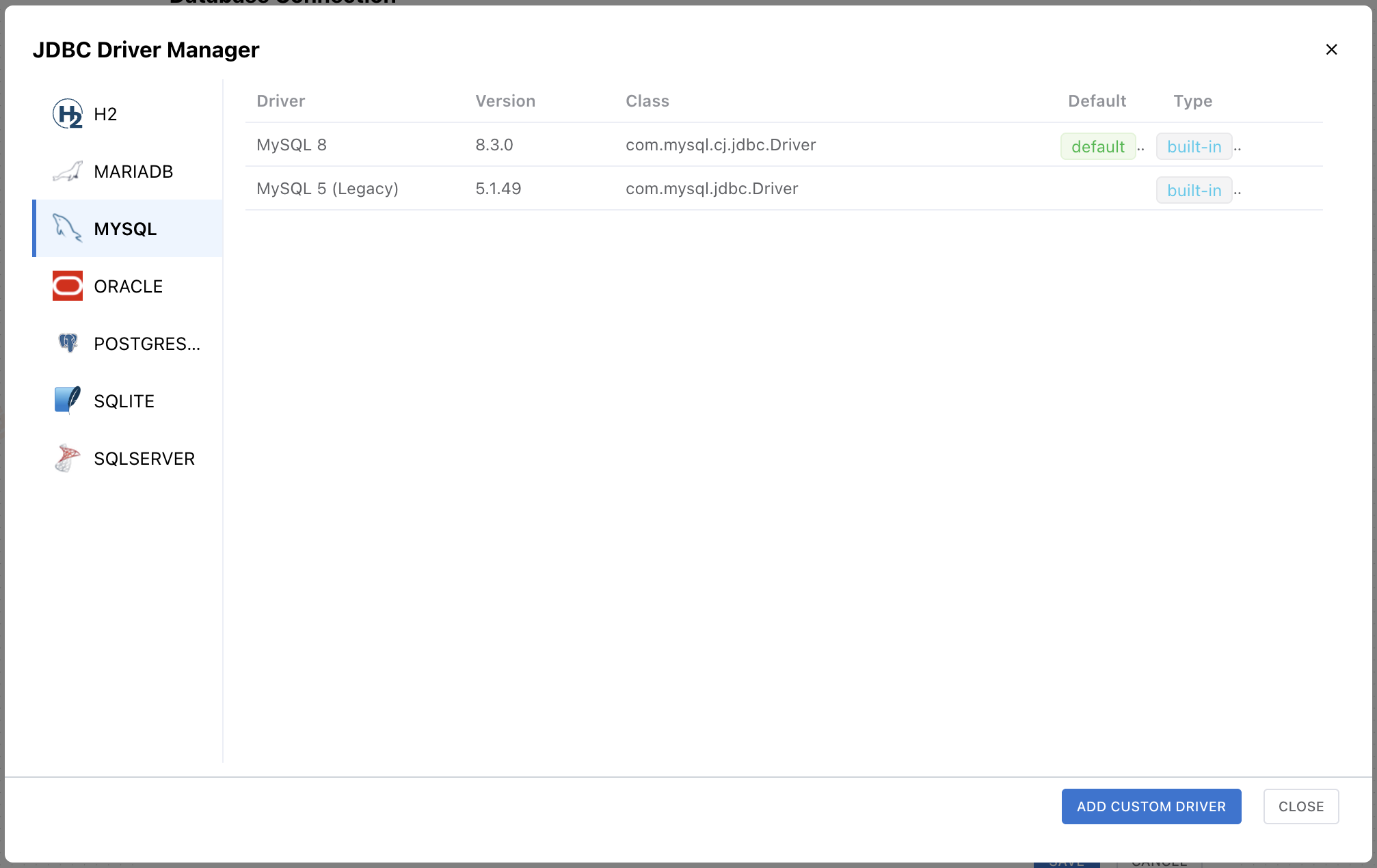
Connect to any database over any network path

Seven major database engines are supported, and SSH tunnels or proxies reach databases behind a firewall. Exposed schemas and display-name rules adapt to your team's conventions.

  • Supports MariaDB · MySQL · PostgreSQL · Oracle · SQL Server · SQLite · H2
  • Upload a .jar to register a custom JDBC driver on desktop
  • Connect to databases behind a firewall through SSL/TLS, an SSH tunnel, or a proxy
View the guide
Connection settings screen for registering a custom JDBC driver

More from NeoSQL

Start NeoSQL today

From database design to code generation, revolutionize your development productivity.

© 2026 NeoSQL by UNVUS. All rights reserved.