
Danger SQL Guard
Learn about the automatic warning feature that prevents data loss by alerting before executing dangerous SQL.
DROP / DELETE / TRUNCATE Auto Detection
Statements that pose a risk of data loss are automatically detected when executing SQL.
| Risk Level | Target SQL | Description |
|---|---|---|
| Critical | TRUNCATE TABLE, DROP TABLE, DROP DATABASE, DROP SCHEMA, DROP INDEX | Data or schema is permanently deleted. Recovery is not possible. |
| Warning | UPDATE (WHERE 없음), DELETE (WHERE 없음) | Affects all rows without conditions. Unintended mass updates/deletes may occur. |
Pre-Execution Confirmation Dialog
When dangerous SQL is detected, a confirmation dialog is shown before execution. SQL is only executed after explicit user confirmation.
The confirmation dialog includes the following information:
- Risk level (Critical / Warning)
- Detected dangerous SQL content
- Expected impact description
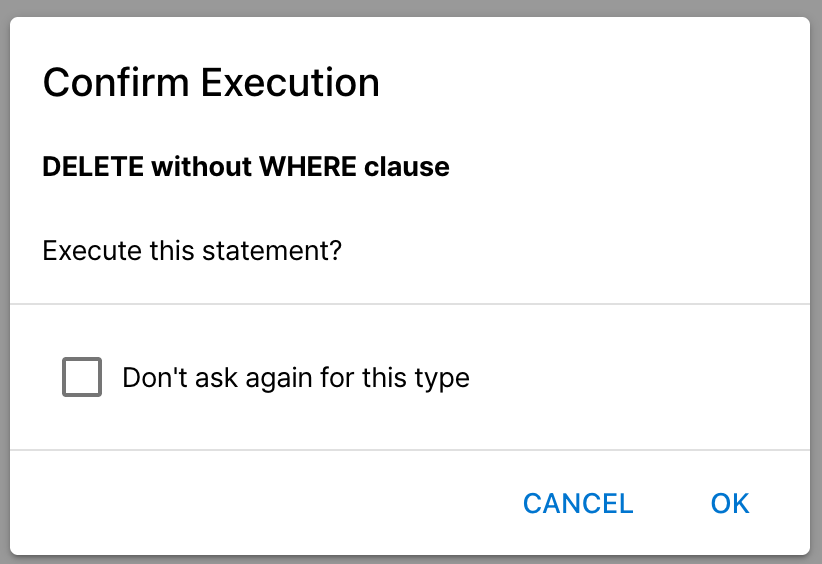
If you need to execute UPDATE/DELETE without a WHERE clause, approve it in the confirmation dialog. For important data, we recommend turning off Auto Commit, executing, reviewing the results, then committing.
Connection Profile Protection Mode
You can set a protection mode per connection in Connection Settings → Profile tab. This is a personal setting and applies independently from team-shared settings.
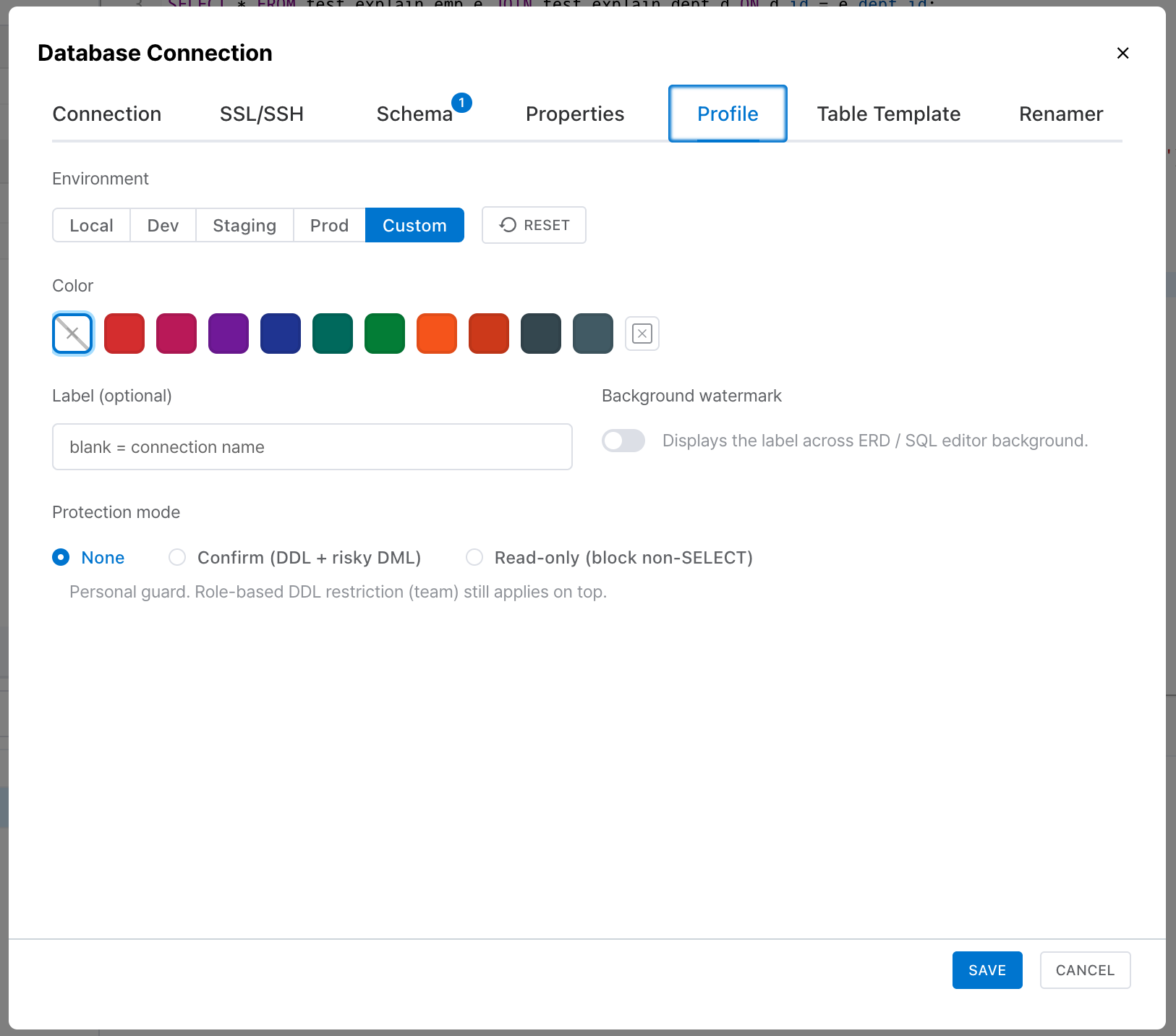
| Protection Mode | Behavior |
|---|---|
| None | No protection. All SQL statements can be executed freely. |
| Confirm | Shows a confirmation dialog before executing DDL statements or UPDATE/DELETE without a WHERE clause. |
| Read-only | Blocks all SQL execution except SELECT statements. |
Environment Preset Defaults
Selecting an environment preset automatically sets the protection mode:
- Local / Dev → None
- Staging / Prod → Confirm
Protection mode is a personal setting, so each team member can configure it differently. Role-based DDL restrictions (team setting) apply separately, and both conditions must be met for SQL to execute.