
Recurring Payments
NeoSQL recurring subscriptions are processed by one of two payment gateways depending on your currency. Auto-renewal, pre-payment notification, and renewal-failure grace policies are identical regardless of which gateway processes your subscription.
Payment gateways (PG)
The payment gateway is selected automatically based on the currency you choose at checkout.
| User | Gateway | Currency | Supported methods |
|---|---|---|---|
| Korea (KRW) | NicePay | KRW | Credit / debit card |
| Global (USD) | Paddle | USD | Credit card, PayPal, and other Paddle-supported methods |
The gateway assigned to a subscription stays the same for the life of that subscription. To switch currency or gateway, cancel the current subscription and resubscribe in the new currency.
Auto-renewal
Recurring subscriptions are automatically charged to the registered payment method at the end of each billing cycle.
- Monthly subscriptions renew on the same day each month; yearly subscriptions renew on the same day each year.
- When the renewal succeeds, access is extended by one full billing cycle. No action is required on your part.
- To stop auto-renewal, request cancellation in My Page → Manage Subscription before the next renewal date. What happens next depends on the billing cycle.
- Monthly subscriptions simply expire on the next scheduled payment date with no charge — you keep using the current plan until that date (no refund is issued).
- Yearly subscriptions are refunded immediately at cancellation: the time already used is recomputed at the monthly rate and the remaining amount is refunded automatically. Access ends at the same moment and the account switches to the Free plan.
Pre-payment notification
Before the next renewal date, NeoSQL sends a reminder email so you have time to update your payment method or schedule cancellation if needed.
| Billing cycle | When sent |
|---|---|
| Monthly | 7 days before the next renewal |
| Yearly | 30 days before the next renewal |
Renewal failure grace and auto-cancellation
If a renewal fails due to an expired card, exceeded credit limit, or authentication failure, NeoSQL retries the payment over a grace period of up to 10 days. Updating the payment method during this window restores the subscription as soon as a retry succeeds.
| Day | What happens |
|---|---|
| Day 0 | First renewal attempt fails → payment failure email sent |
| Day 1–8 | Payment is retried daily (no additional emails are sent during this window to avoid noise) |
| Day 9 | Cancellation reminder email sent — auto-cancellation is imminent |
| Beyond day 10 | Subscription is automatically canceled and a cancellation email is sent |
Your plan's features remain available during the grace period. Updating your payment method triggers an immediate retry — once it succeeds, the subscription resumes normally.
Changing payment method
In My Page → Manage Subscription, use the change-payment-method button to replace the registered card.
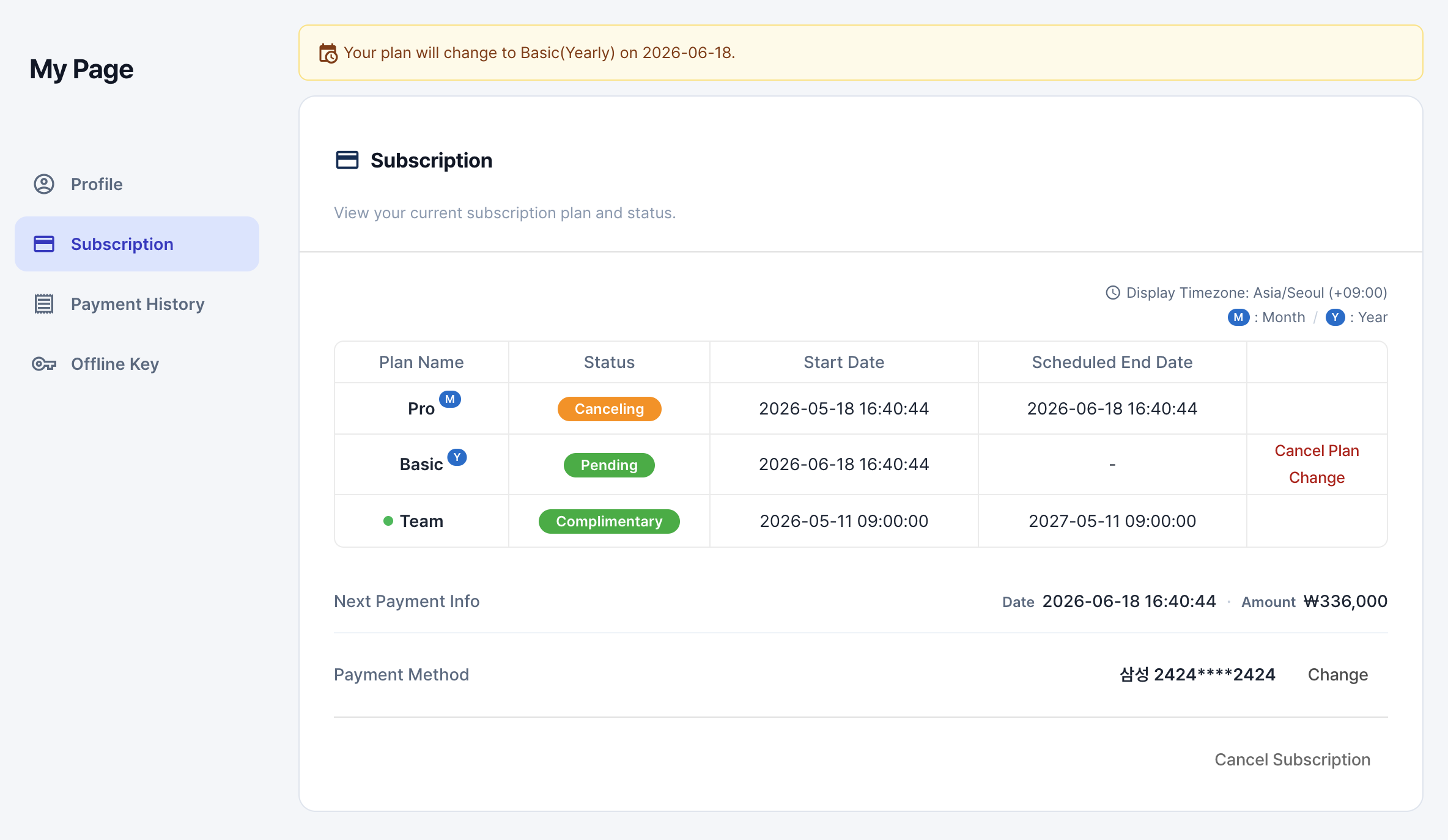
- For KRW subscriptions, enter your card number, expiration date, birth date or business number, and the first two digits of the card password to issue a new bill key.
- For USD subscriptions, Paddle's payment-method update page opens in a new tab where you can update your card details.
- Once the payment method is updated, any in-progress renewal retry uses the new method on the next attempt.
Viewing payment history
All recurring charges, refunds, and failed payment attempts are listed under My Page → Payment History. Timestamps are shown in the timezone set in My Page → Profile.
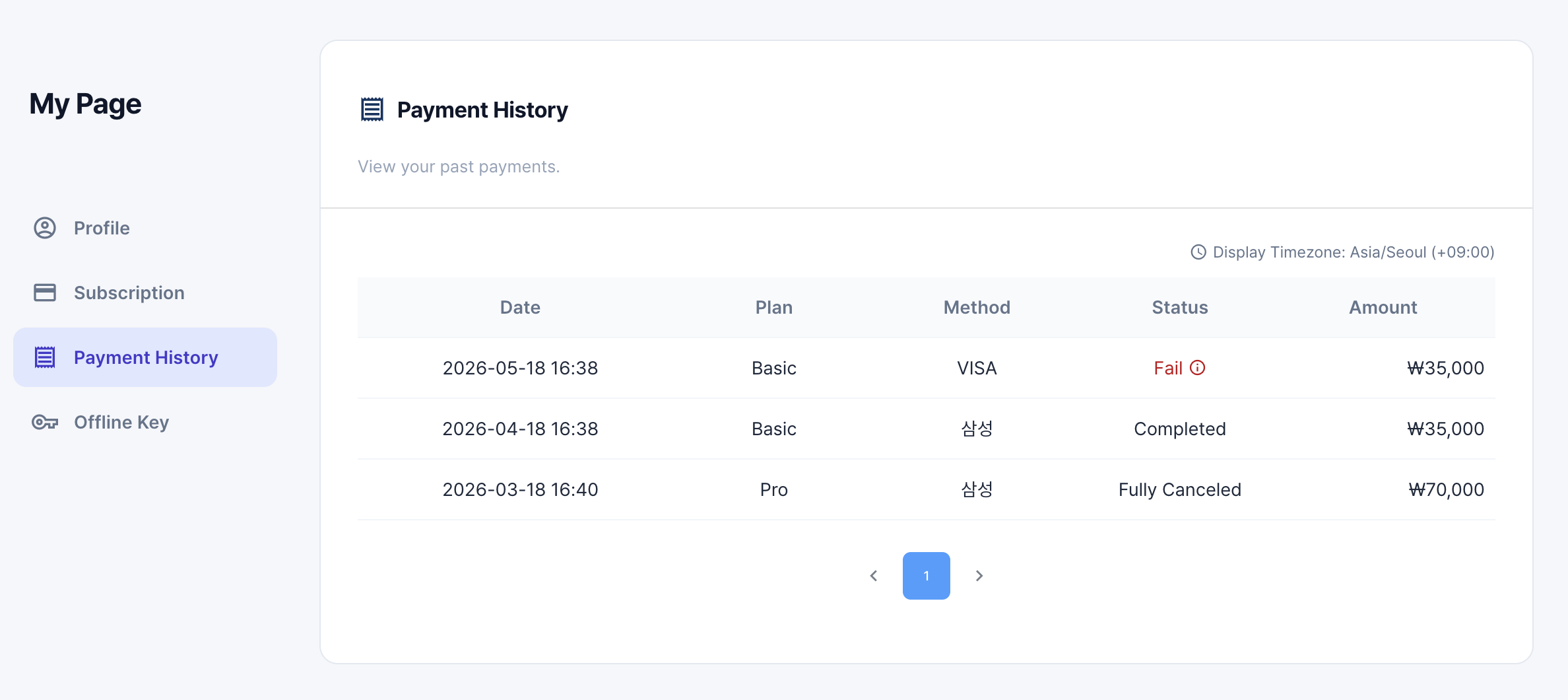
| Column | Meaning |
|---|---|
| Date | When the payment was processed |
| Plan | The subscription plan associated with the charge |
| Method | Card brand or payment method used for the charge |
| Status | One of Paid / Fully canceled / Partially canceled / Failed |
| Amount | Charge or refund amount (shown in the subscription's currency) |
Inspecting failure reasons
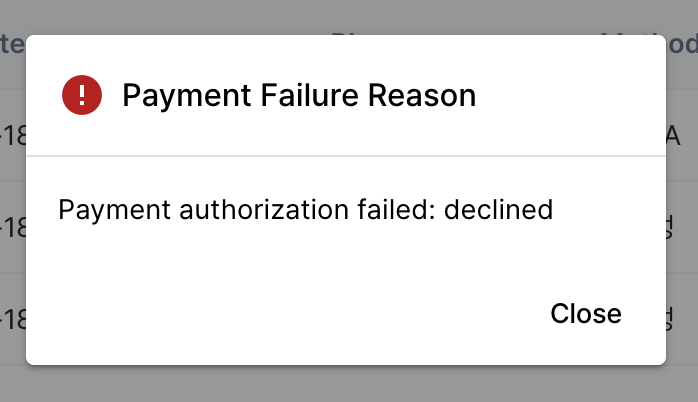
Click a row with status Failed to see the failure reason returned by the payment gateway. Once you have identified the cause (expired card, exceeded limit, etc.), use Changing payment method above to register a new card — the next renewal retry picks it up immediately.
For cancellation, revoking a cancellation, or plan changes, see Manage Subscription. Refund eligibility is described in Refund Policy.