
ERD Import and Database Apply
NeoSQL supports both Reverse Engineering, which brings an existing database into an ERD, and Forward Engineering, which applies ERD changes to the database.
Add DB Tables to an ERD
Bring existing DB tables in by dragging them from the left tree onto the canvas, or by using Add to current ERD in the table context menu. Imported tables are populated with columns, PK, FK, indexes, and constraints.
A specific-Schema ERD accepts only tables from the same Schema. An all-Schema ERD can handle multiple Schemas in the same Connection and Database.
DDL Import
Use Import DDL in the canvas context menu to parse CREATE TABLE plus related ALTER TABLE and CREATE INDEX statements into the ERD. Paste DDL directly or drop a .sql or .txt file, then select the tables to import.
| Item | Description |
|---|---|
| DBMS | MySQL/MariaDB, PostgreSQL, SQLite, and SQL Server are parsed with their own syntax. Oracle and H2 are handled with approximate parsing based on PostgreSQL syntax, with guidance shown in the UI. |
| Schema | If the ERD is dedicated to one Schema, that Schema is fixed. For an all-Schema ERD, select it in the modal. |
| Parse result | Shows each table's column count plus PK, FK, and Index counts, and lets you select only the tables you want. |
| Conflict | If a table with the same name already exists in the target Schema or names are duplicated inside the DDL, the item is disabled and the reason is shown. |
| Ignored statements | Shows statements that are not import targets or were merged into other statements, together with line numbers and reasons. |
| Parse errors | Shows the error location, a readable message, and the problematic syntax together. |
Apply ERD Changes to DB
Run Apply Changes to DB from the right info panel or a table node to preview changes as DDL. After review, execute it to apply the changes to the actual database.
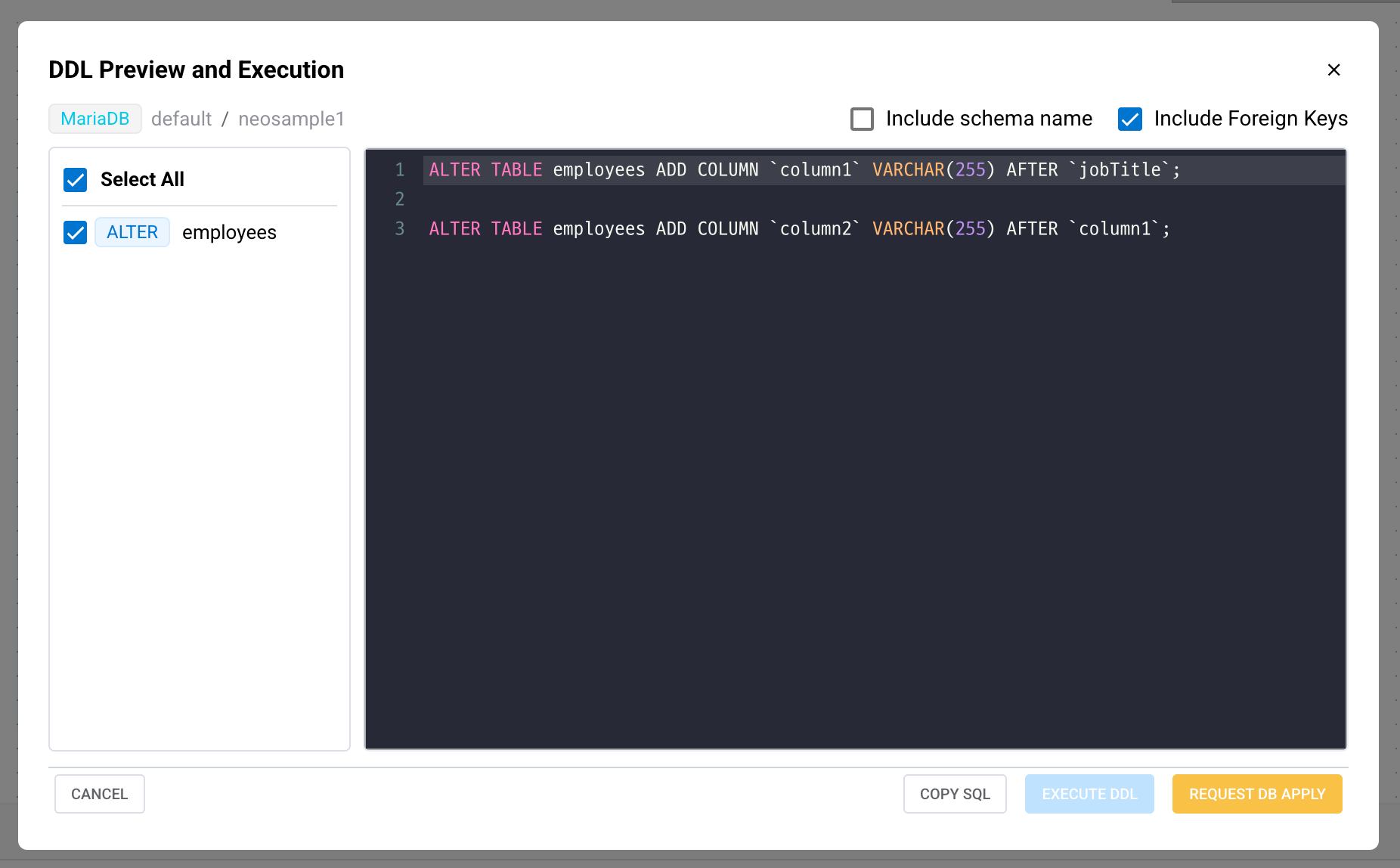
| Change Type | Generated Action |
|---|---|
| New table | CREATE TABLE, PK, index, FK, and comment DDL |
| Column changes | ADD/MODIFY/RENAME/DROP COLUMN, defaults, and generated-column changes |
| Keys and indexes | ADD/DROP PRIMARY KEY, INDEX, UNIQUE, CHECK |
| FK changes | ADD/DROP FOREIGN KEY |
| Table deletion | Confirm DROP TABLE targets |
Some actions may be disabled depending on the DBMS and project permissions.