
License (Offline)
Learn how to generate, renew, and manage offline license slots.
Overview
In NeoSQL Desktop offline mode, you can work locally without an internet connection. To do so, you need to issue an offline license key from My Page.
| Item | Details |
|---|---|
| Validity Period | 30 days from issue date |
| Renewal Available | Starting 3 days before expiration |
| Number of Slots | Determined by subscription plan |
| Number of JDBC URLs | Allowed DB connection URLs per slot (determined by plan) |
Generate Key
You can issue a new license key from My Page > Offline Key.
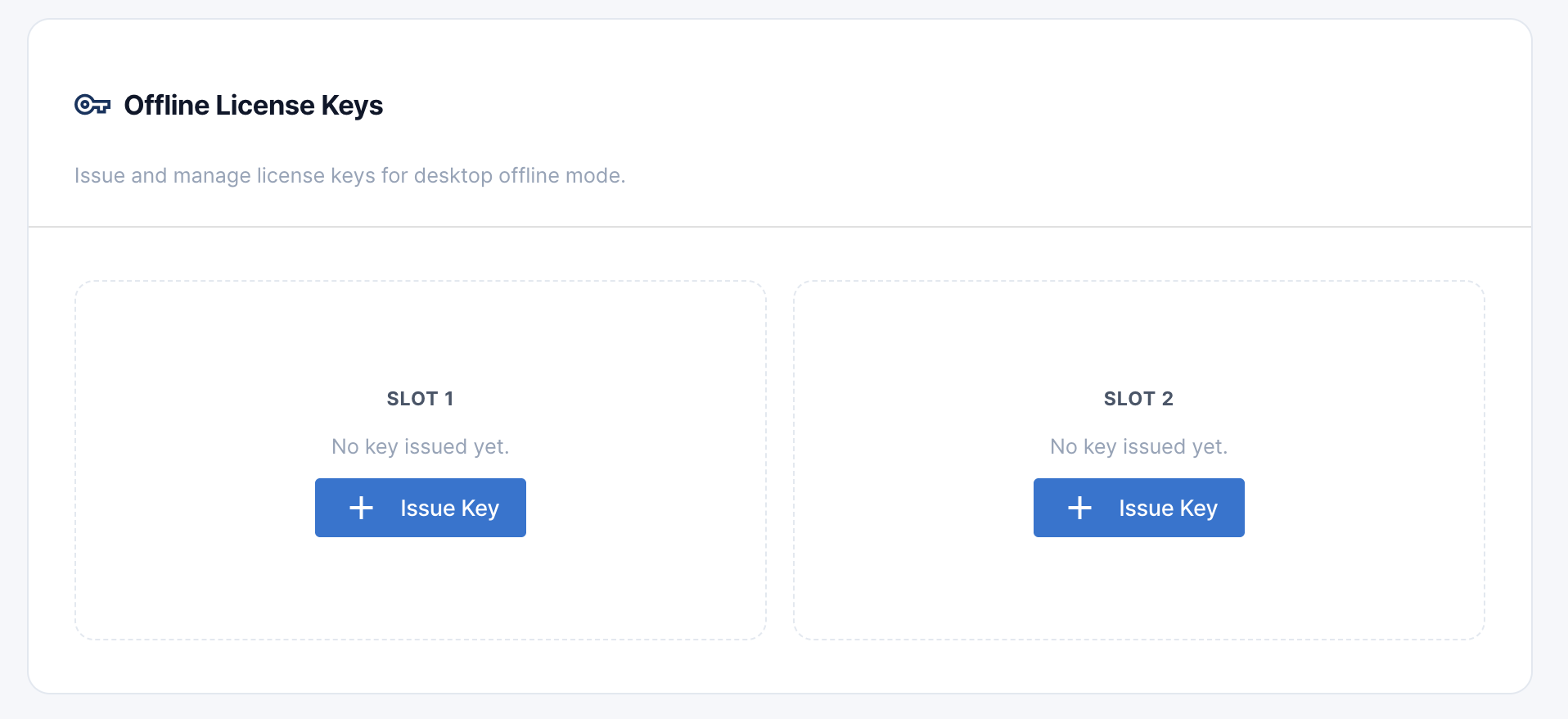
Select Empty Slot
Click the 'Issue' button on an available empty slot.
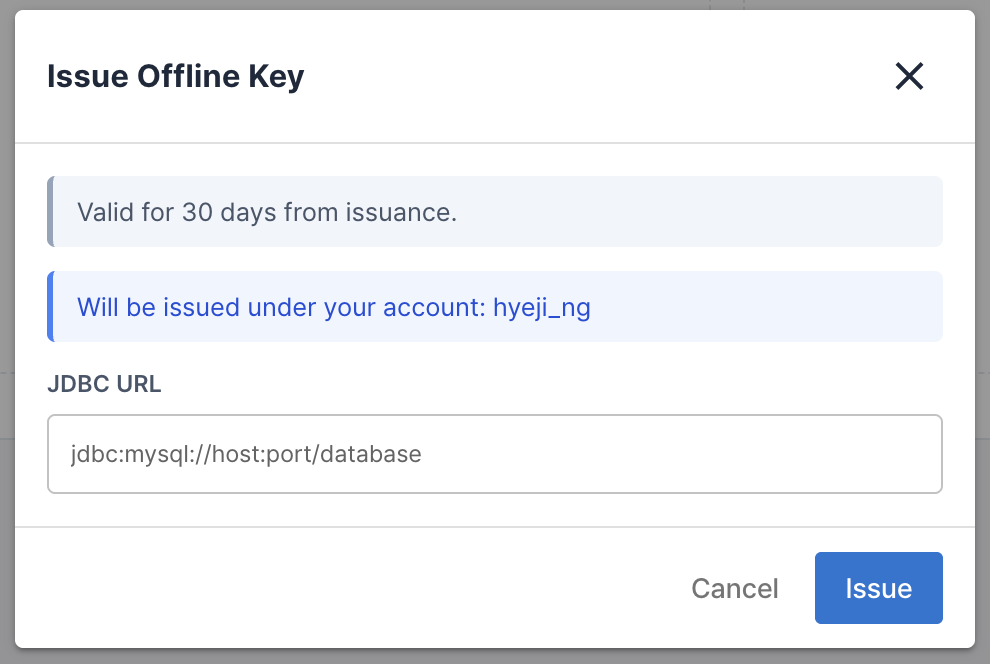
Enter JDBC URL
Enter the JDBC URL of the database you want to connect to in offline mode. You can register multiple URLs up to the allowed limit.
Issue Complete
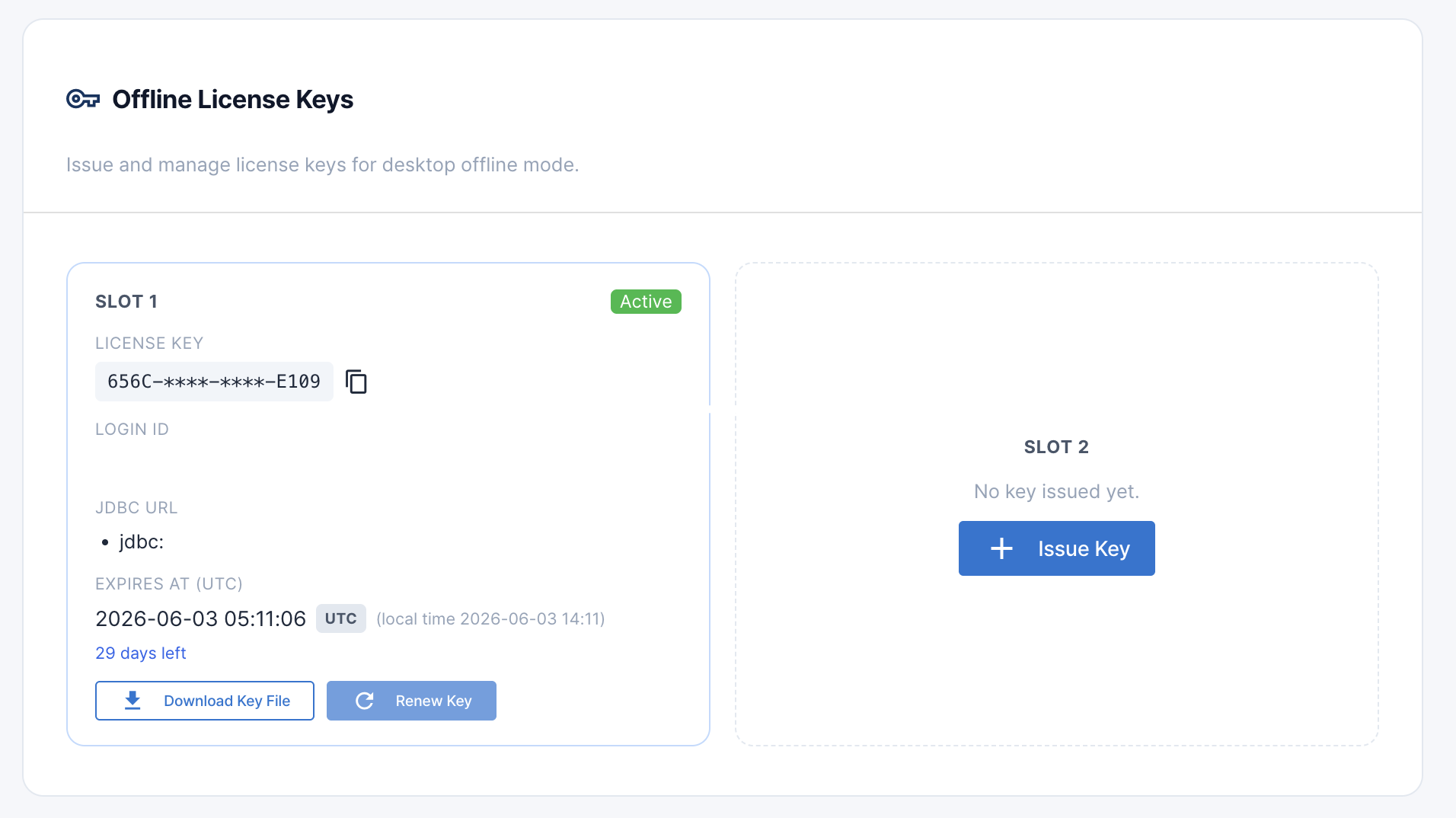
Once issued, the key is displayed in masked format (first 4 and last 4 characters). Download the key file to use with the Desktop app.
Renew Key
You can renew an existing key starting 3 days before expiration or after it has expired. You can change the JDBC URLs during renewal, and a new 30-day validity period will apply.
Note: Offline license keys cannot be deleted, and cannot be modified until 3 days before expiration. Keys occupy the slot until they expire.
Download Key File
Click the 'Download' button for an issued key to save a JSON key file. This file contains the license key, expiration date, JDBC URLs, and login ID. Select this file when logging in offline in the Desktop app.
Expiration Watchdog
The Desktop app automatically verifies license validity every 5 minutes in offline mode. Warnings are displayed starting 24 hours before expiration, and you will be logged out automatically when the license expires.
When you see an expiration warning, connect to My Page in an online environment to renew your key in advance.