Settings Guide
How to set up MCP clients to use NeoSQL's AI features.
MCP Setup
How to set up MCP clients to use NeoSQL's AI features.
1
Open MCP Settings
Open MCP settings from the NeoSQL project screen.

2
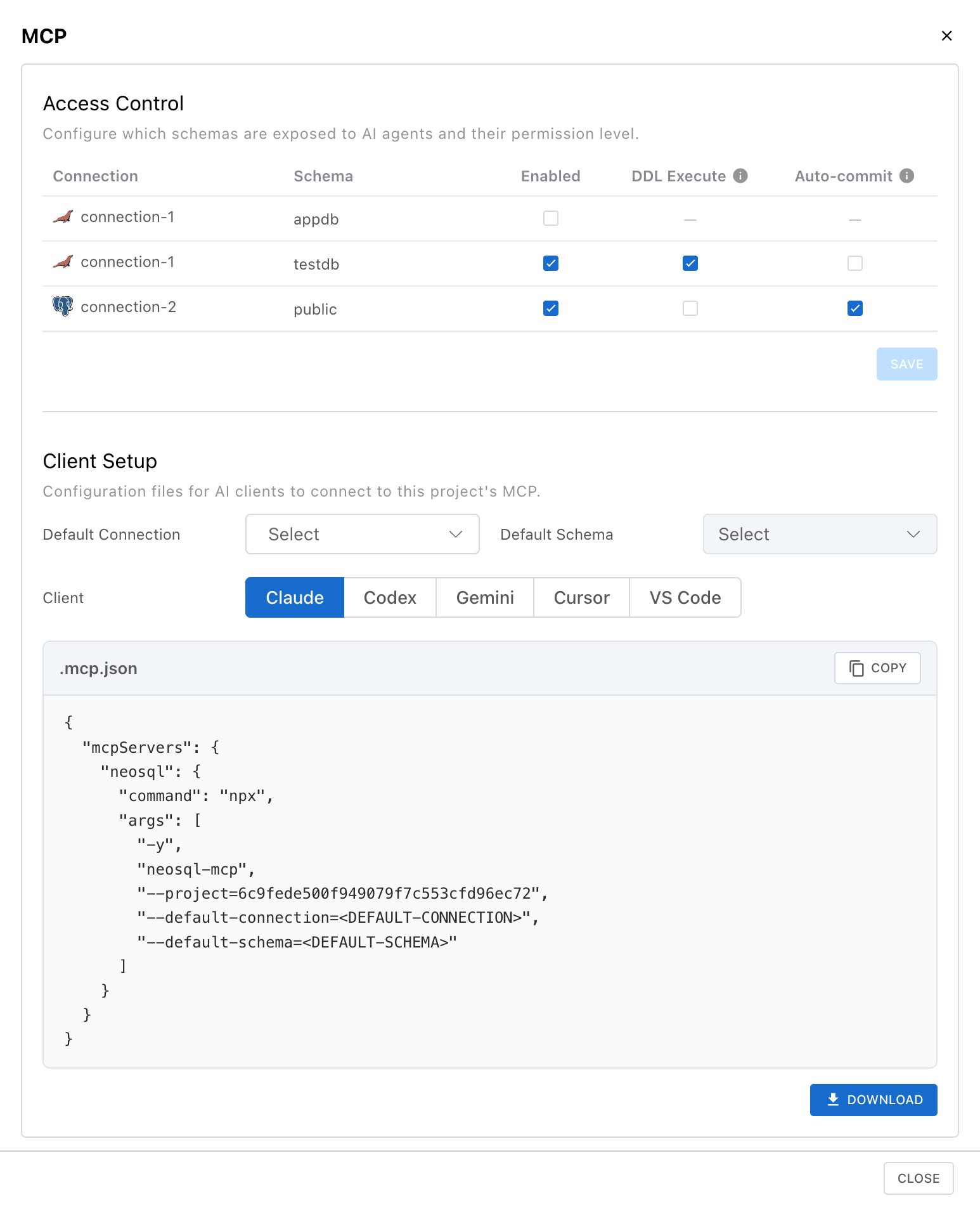
Configure Access and Defaults
In Access Control, enable the connections and schemas exposed to AI, and set DDL Execute and Auto-commit policies per schema. In Client Setup, choose the default connection and schema used in the generated config file.
3
Copy or Download Client Config
In Client Setup, choose the client, Default Connection, and Default Schema, then copy or download the generated config. The selected default connection and schema are used first, but AI can also use other connections and schemas allowed in Access Control.
Note: Only project owners can change access and policy settings.