
Layout and edit mode
How to decide where tiles go and how large they are, and what happens when the window gets narrow.
The 12-column grid
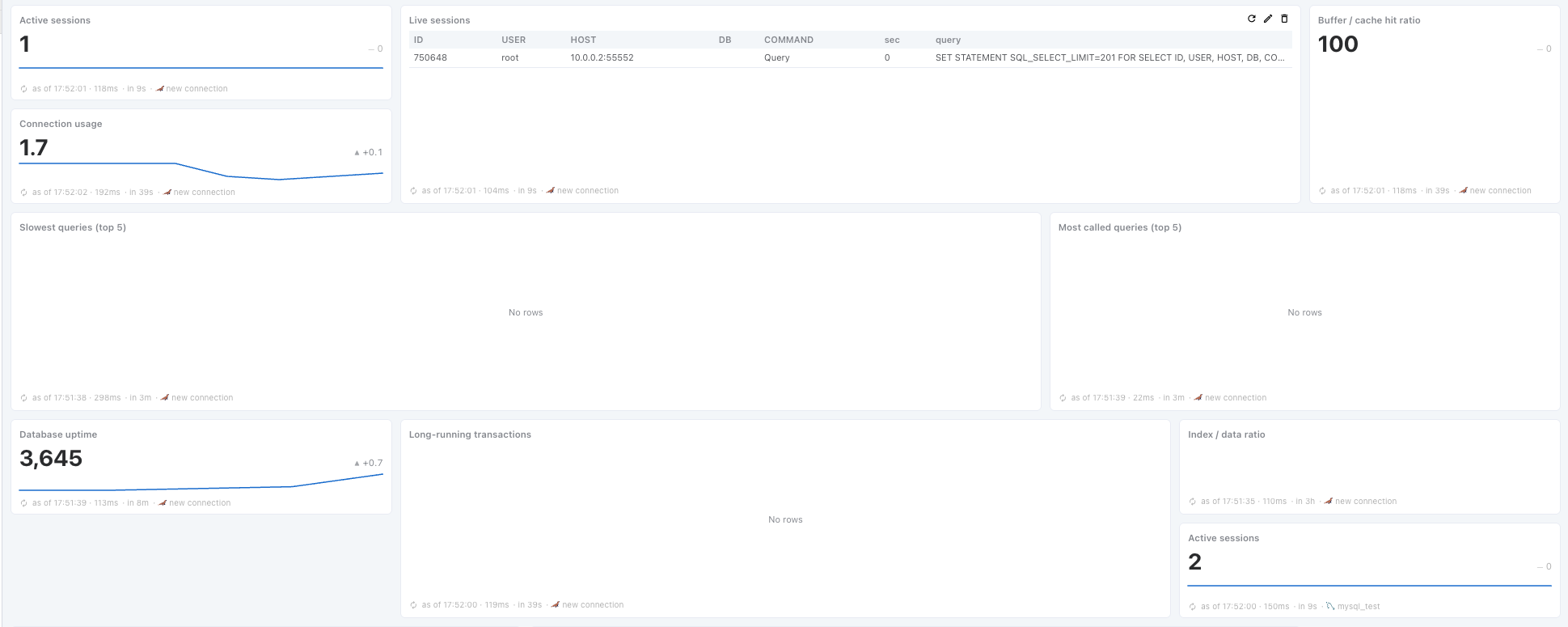
A dashboard is a 12-column grid. A tile takes 1–12 columns of width and 1–4 rows of height, and one row is about 118px — the height of a single number.
A new tile goes into the first free slot in the grid.
There is no ‘auto’ height. Growing a Table tile to fit its row count would make the whole layout jump on every refresh (10 rows → 3 rows → 12 rows). Content that overflows scrolls inside the tile.
Edit mode
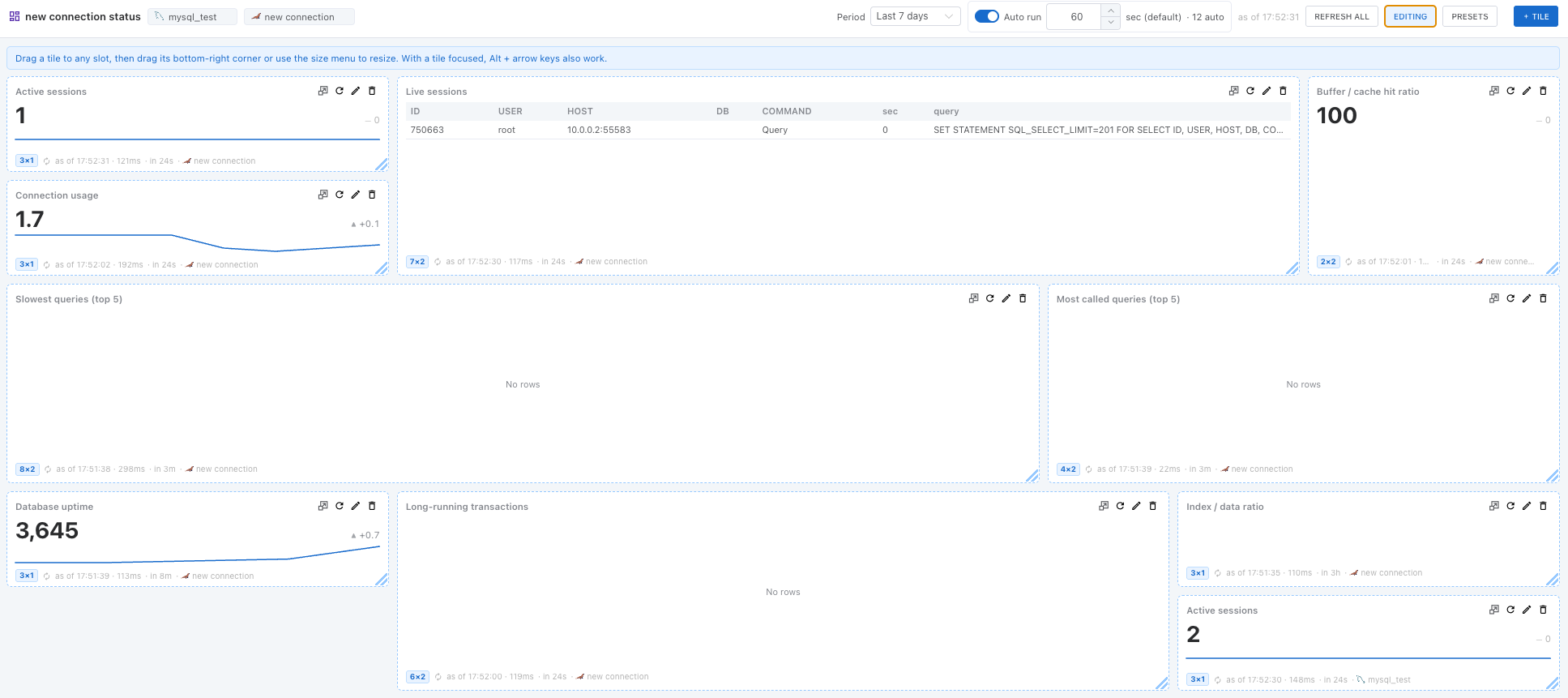
Press [Edit] on the toolbar to change slots and sizes. All of the ways below are available.
| Way | Description |
|---|---|
| Drag to move | Drag a tile to the slot you want. |
| Bottom-right handle | Dragging it snaps to whole columns and rows. While you drag, the current size is shown as a badge such as 6×2. |
| Size menu | The size button in the tile header picks width 1/4, 1/3, 1/2, 2/3 or Full and height 1–4 directly. It is quick when several tiles need exactly the same width. |
| Keyboard | With a tile focused, Alt + ← / → changes the width and Alt + ↑ / ↓ the height. |
Turning edit mode off saves the state as it is. Deleting, configuring and refreshing a tile are available from the tile header without edit mode.
Minimum and maximum size per display type
Each type has a range, so that unreadable tiles and tiles that are mostly empty space cannot be made in the first place.
| Display type | Minimum | Maximum | Note |
|---|---|---|---|
| Number (Value) | 2×1 | 12×2 | It draws a number and a caption only, so anything past 2 rows is empty space. Width is not capped — a full-width number strip is a common layout. |
| Bars · Column | 3×2 | 12×4 | 3 columns is where labels start to be cut off. |
| Pie · Donut | 3×2 | 6×4 | The circle’s diameter follows the shorter side, so extra width only adds margin on the left and right. |
| Line · Area · Scatter | 4×2 | 12×4 | 4 columns is the narrowest width at which the axis ticks stay readable. |
| Table | 4×2 | 12×4 | The minimum that fits a header, 3 rows and 3 columns. |
A tile cannot be dragged below its minimum. If changing the display type puts the current size out of range, it is clamped automatically — turning a 12×4 Table into a Number reduces its height.
The sparkline on a Value tile is drawn only at 3 columns or wider. Narrower than that the line is squashed and the ups and downs are invisible.
Narrow screens
As the window narrows the number of columns drops. The stored width does not change — a width you set is read as ‘at most this much’, not ‘exactly this much’.
| Panel width | Behavior |
|---|---|
| 1200px and up | 12 columns, unchanged |
| 900 – 1200px | Collapsed to 6 columns |
| Under 900px | One tile per row |
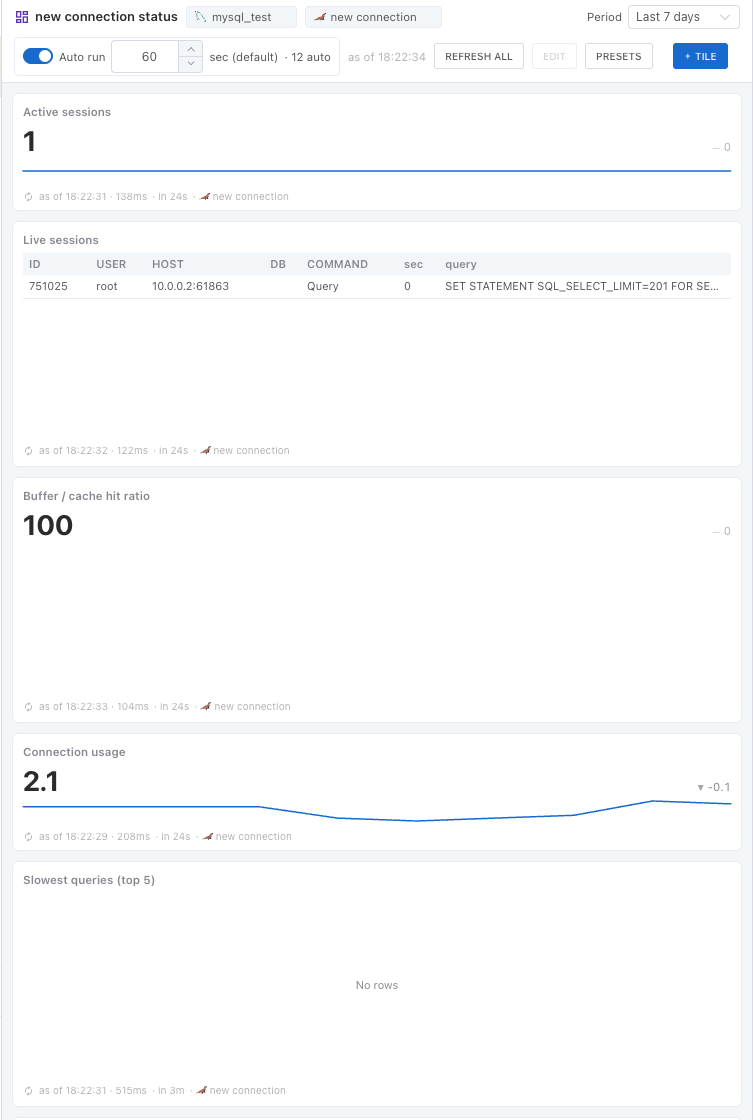
Edit mode does not open while collapsed. Saving a layout against the collapsed grid would wreck it on a large screen. Widening the window enables it again.